Posts

How to concatenate multiple rows into single string or single row

- using sTRING_AGG function The STRING_AGG function is available from sql server 2017 onwards. The STRING_AGG is a string function which will simplify the concatenation of rows. The sysntax for using STRING_AGG function as per below. SELECT STRING_AGG( ISNULL (Narration, ' ' ), ',' ) As Narration         From PostedNarration You can use comma and space between rows for concatenate.
Function for convert Amount to words in indian rupees for any reporting tools and software Like - 'Report Builder' , 'Crystal Report' etc.

Open Report Properties and click on code.Copy and paste below function code in opened code windows and click ok.

Excel not Display Different Windows in the Taskbar

Image
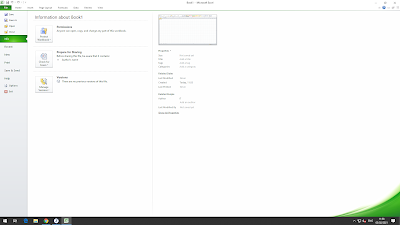
  There are two things that need to be checked out in order to make sure that you really get multiple buttons on the Taskbar. The first thing is in Excel; follow these steps: 1)In File Menu click on options--> 2)then click on Advanced-->Under Display menu tick mark on "show all windows in the taskbar"

Restore all Built-in Apps in Windows 10

If you wish to reinstall or restore all the built-in Windows 10 apps, use this command: Get-AppXPackage -allusers | Foreach {Add-AppxPackage -DisableDevelopmentMode -Register "$($_.InstallLocation)\AppXManifest.xml"}

Windows 10 Desktop Icon Not Showing Problem

Problem Sometimes in windows 10,user face the desktop icon related problem.Sometime desktop icon hide and not showing in desktop,but you can access all icon through file Explorer. Solution Although it may sound banal, it’s quite possible you overlooked this. So, just to be sure, check if your Desktop icons are set to appear once again. Here’s how to do that: Right-click on the empty area on your desktop. Choose View and you should see the  Show Desktop icons option. Try checking and unchecking  Show Desktop icons  option a few times but remember to leave this option checked.

Remote Desktop Connection has Stopped Working

Remote Desktop Connection has Stopped Working whenever the user RDPs onto a machine it launches but after about 10 seconds mstsc.exe crashes with the error 'Remote Desktop Connection has Stopped Working. Reason 1)This Remote Desktop Issue related to outdated printer driver installed on your work station which redirected when you login on to remote desktop server.Due to outdated printer driver remote desktop has stopped working. 2)Another reason is outdated Audio driver installed in your Work Station. Solution You can try to fix it in two different ways.once you update all printer and audio driver of your work station.And other solution as under below. 1. d isable Printer redirect on RDP settings. 2. disable audio redirect on RDP settings.

Show hidden files on a USB drive and memory card using CMD

Image
Show hidden files on a USB drive and memory card using CMD Solution Command Prompt (CMD) is your first choice when you want to recover hidden files from external hard disk, USB drive, memory card, or other storage devices. To unhide hidden files on your memory card or flash drive using  CMD: 1.  Plug in the hard drive, memory card, or USB drive to your computer 2.  Go to the start menu, type in  cmd  in a search bar, hit  enter.  3.  Left-click  cmd.exe  and then you will enter the command line, where you can use the attrib command to recover hidden files. 4.  Enter  attrib -h -r -s /s /d G:\*.*  (replace G: with the drive letter for your device).